
Sublimation paper is a coated transfer paper that holds sublimation ink on its surface and then releases it as a gas when heated, so the design bonds into a polyester or polymer-coated blank. To choose the right sheets, look at three things: the paper weight (gsm), the sheet size that suits your blanks, and whether the paper works well with your printer and ink. Get those right and you will see brighter colours, crisper edges and less wasted ink.
What Sublimation Paper Actually Does
Ordinary printer paper absorbs ink deep into its fibres, which is exactly what you do not want for sublimation. Sublimation paper has a special coating that keeps the ink sitting near the surface. When you press it against a blank at high temperature, the ink turns into a gas and transfers into the coating or fibres of the item, rather than soaking into the paper itself.
That is why the paper matters so much. A good sheet releases as much ink as possible onto the blank, giving you vivid, even colour. A poor or unsuitable sheet can leave colours looking dull, patchy or blurred.
Choosing a Sublimation Paper Weight
Paper weight is measured in grams per square metre (gsm). It affects how the sheet handles ink and how it behaves in your printer and under the press.
- Lighter papers can feed easily and are often used for fabric and large-format work, but they may curl or wrinkle when heavily inked.
- Mid-weight papers around 120gsm are a popular all-rounder for desktop printers. They hold a good amount of ink, tend to stay flatter when printing dense designs, and work well for both hard blanks and textiles.
- Heavier papers can hold even more ink but may not feed reliably through every desktop printer.
If you are printing photos, bold block colours or full wrap designs, a 120gsm sheet is a sensible starting point because it copes well with heavy ink coverage without cockling as much as thinner paper.
Sublimation Paper Sizes: Which Should You Buy?
A4 sheets
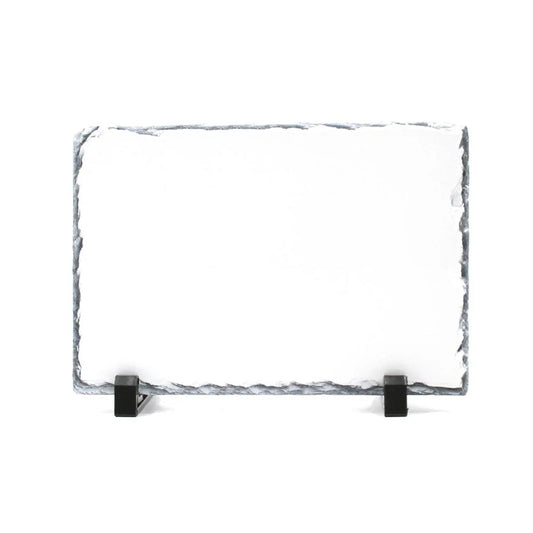
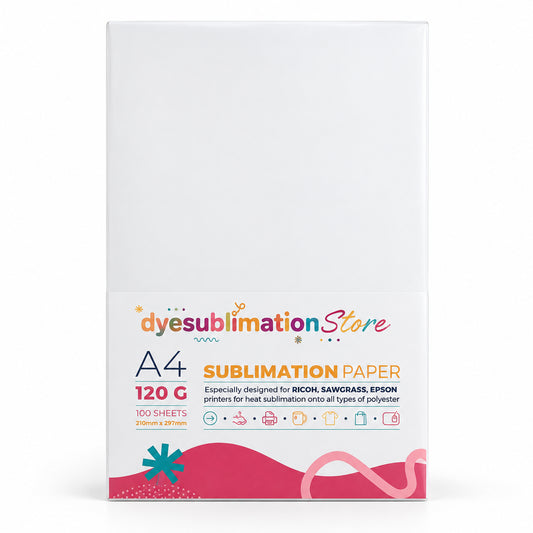
A4 is the most versatile size for crafters and small businesses using a desktop printer. You can fit designs for coasters, photo slates, fridge magnets, notebooks, tote bag panels and more, or gang several small designs onto one sheet to save paper. Our Sublimation Paper 100 Sheets - A4 120G is a good everyday choice if you make a mix of products.
Pre-cut mug paper
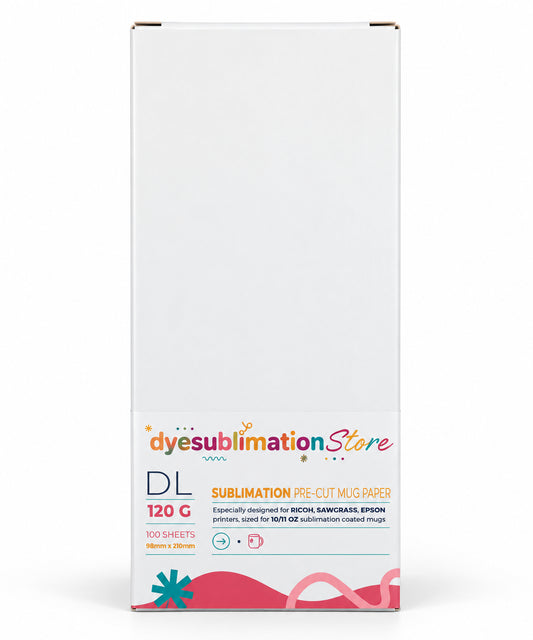
If mugs make up a large part of your work, pre-cut strips save time. Rather than trimming an A4 sheet for every order, you print straight onto a strip already sized for a wrap-around mug design, which means less cutting, neater edges and less waste. Our Sublimation Pre-Cut Mug Paper 99 x 210mm - 100 Sheets - 120gsm is designed for exactly this job. Always check the print area of your particular mug before you design, as it varies between mug styles.
Larger formats
A3 and roll paper are useful if you have a wide-format printer and make larger items such as cushion covers, tea towels or flags. For most people starting out with a desktop printer, A4 and pre-cut mug paper will cover the majority of projects.
Which Side of Sublimation Paper Do You Print On?
Printing on the wrong side is one of the most common reasons for faded transfers. Sublimation paper has one coated side, which is the side you print on. A few ways to tell:
- The coated side is usually the brighter white of the two.
- Some papers have a logo, watermark or tint on the back, the uncoated side.
- The coated side can feel very slightly smoother or more textured, depending on the brand.
When in doubt, check the instructions on the pack, and load your printer so the coated side receives the ink.
Tips for Sharper Sublimation Transfers
- Mirror your image. The design is pressed face down, so text and logos must be mirrored before printing.
- Use sublimation ink only. Standard inkjet ink will not sublimate, no matter which paper you use.
- Let prints dry. Give freshly printed sheets a short time to dry before pressing, especially dense designs, to reduce smudging.
- Secure the paper firmly. Any movement under heat causes ghosting, a faint double image. Heat-resistant tape such as our Sublimation Heat Tape - 10mm holds the sheet tight against the blank, particularly on curved items like mugs.
- Protect your press. Use a protective sheet or paper between the transfer and your press to catch any ink that bleeds through.
- Follow the blank's settings. Time, temperature and pressure depend on the item, so check the recommended settings for each blank rather than relying on one setting for everything.
Storing Sublimation Paper Properly
Sublimation paper is sensitive to moisture. Damp paper can cause colour shifts, blotches and blurred lines. Store unused sheets flat in their original packaging or a sealed bag, in a cool, dry place away from direct sunlight. If your workspace is humid, consider keeping a few sheets out at a time rather than leaving the whole pack open.
Matching Your Paper to Your Blanks
Remember that sublimation only works on polyester fabrics or items with a special polymer coating, and it shows best on white or light-coloured surfaces. Even the best sublimation paper cannot transfer properly onto uncoated ceramic or cotton. Pair good paper with a quality blank, such as our 11oz White AAA Sublimation Mugs, and you give every design the best chance of looking professional.
Find Your Sublimation Paper
Whether you need versatile A4 sheets for a range of products or pre-cut strips to speed up mug orders, choosing the right sublimation paper makes a visible difference to your results. Browse our sublimation paper, heat tape and blanks at Dye Sublimation Store to stock up on everything you need for your next batch of prints.
Tags:
Previous
Black Mugs for Sublimation: Colour-Changing and Black Inner Styles
Next
Aluminium Water Bottle vs Stainless Steel: Which to Print?
Related articles
-
Nov 16 2026
Slate Coasters: How to Make Personalised Photo Coasters
-
Nov 15 2026
How to Print Photos onto Slate at Home Without Ghosting

-
Nov 12 2026